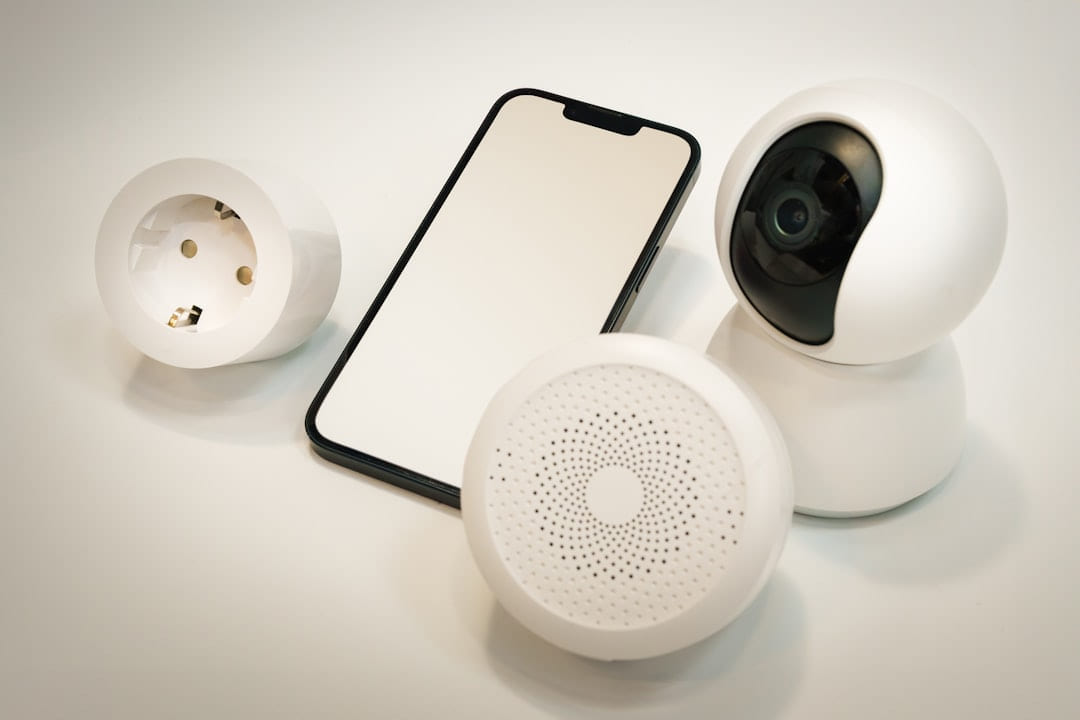
Smart Security: Budget Choices can be easier to approach when you start with a few practical basics.
What’s Driving the Demand for Affordable Security? (Smart Security: Budget Choices)
Over the past few years, we’ve seen a significant shift in homeowner attitudes towards security. Several factors have contributed to this: increased crime rates in some areas, the rise of package theft, and, crucially, the affordability of smart home technology. Before, a comprehensive security system was the domain of large corporations and required hefty contracts. Now, thanks to advancements in wireless technology and the proliferation of DIY solutions, you can build a robust security setup for a fraction of the cost. Furthermore, the increasing popularity of remote monitoring - being able to check on your home from anywhere - has made security systems more appealing than ever.
Budget-Friendly Security Systems: The Basics
Let’s start with the traditional route: budget-friendly security systems. These typically come in two main forms: self-monitored and professionally monitored.
Self-Monitored Systems
These systems, like Ring Alarm, SimpliSafe, and Abode, offer a great balance of affordability and control. They’re generally cheaper upfront, with no monthly fees for monitoring. However, you are responsible for responding to alerts - meaning you need to be vigilant and ready to take action if something happens.
Key Features of Self-Monitored Systems:
- Wireless Components: Easily installed without professional technicians.
- Smartphone App Control: Arm/disarm the system, view camera feeds, and receive alerts from your phone.
- Entry Sensors: Detect when doors and windows are opened.
- Motion Detectors: Trigger alerts when movement is detected.
- Keypad: Arm and disarm the system.
Example: A Ring Alarm 7-piece kit typically costs around $200-$300, including a base station, keypad, contact sensors for doors and windows, and a motion detector. You’ll need to purchase additional sensors and cameras separately, depending on your needs.
Professionally Monitored Systems
These systems, like ADT and Vivint (though Vivint has become less common due to price increases), connect to a central monitoring center that will contact you and, if necessary, the authorities in the event of an alarm. While they come with a monthly fee (usually $15-$30), they offer peace of mind knowing that someone is always watching.
Key Features of Professionally Monitored Systems:
- 24/7 Professional Monitoring: A trained operator monitors your system around the clock.
- Faster Response Times: Monitoring centers can dispatch emergency services more quickly than you might be able to.
- Cellular Backup: Ensures your system continues to operate even if your internet connection goes down.
Example: ADT’s basic home security package can start around $40-$60 per month, plus equipment costs (which can range from $300-$800 depending on the components).
Beyond the Traditional: Clever Alternatives to Security Systems
Now, let’s explore some less conventional, yet incredibly effective, alternatives to traditional security systems. These options often offer a more customized and budget-conscious approach.
Smart Cameras - The Eyes on Your Home
High-quality smart cameras, like those from Arlo, Nest, and Wyze, are becoming increasingly sophisticated and affordable. They offer live video streaming, motion detection, night vision, and two-way audio. Many can be integrated with other smart home devices, creating a more comprehensive security setup. They don’t offer immediate response like a monitored system, but they provide valuable evidence and deter potential intruders.
Cost: Entry-level cameras can be found for as little as $30-$50, while higher-end models with advanced features can cost upwards of $200.
Smart Locks - Keyless Security
Smart locks, such as August and Schlage, eliminate the need for physical keys, providing an extra layer of security. You can control access remotely via your smartphone, create temporary guest codes, and receive notifications when someone enters or exits your home.
Cost: Smart locks typically range from $150-$300.
Smart Lighting - Deterrent and Visibility
Automated smart lighting can create the illusion that someone is home, even when you're away. You can schedule lights to turn on and off at different times, mimicking a normal occupancy pattern. Combined with smart cameras, this creates a powerful deterrent.
Cost: Smart bulbs and switches can be purchased individually for around $15-$30 each.
DIY Sensor Networks - Layered Security
This approach involves combining various inexpensive sensors - door/window sensors, motion detectors, water leak sensors - and connecting them to a central hub (like a Raspberry Pi or a smart home hub). You can then use a free or low-cost app to monitor and control the system. This requires a bit more technical know-how but offers unparalleled flexibility and customization.
Cost: Can be as low as $50-$150 depending on the components you choose.
Choosing the Right Solution: A Step-by-Step Guide
Here’s a breakdown to help you decide which option is best for you:
- Assess Your Needs: What are your biggest security concerns? Package theft? Burglary? Water leaks?
- Set a Budget: How much are you willing to spend upfront and monthly?
- Consider Your Technical Skills: Are you comfortable with DIY installation and configuration?
- Research Different Options: Compare features, prices, and reviews of various systems and alternatives.
- Start Small: Begin with a few key components (e.g., a smart camera and smart lock) and expand your system over time.
Focus on the part that solves the problem
In a topic like Budget smart home gadgets, the strongest starting point is usually the one you will notice and use right away. That is often more helpful than adding extra features too early.
Before spending more, it is worth checking the setup, upkeep, and learning curve. Small hassles matter here because they are usually what decide whether something stays useful or gets ignored.
It is easy to underestimate how much clarity comes from removing one unnecessary layer. In practice, trimming one complication often does more for Smart Security: Budget Choices Explained than adding one more feature, one more product, or one more clever workaround.
Where extra features get in the way
Another easy trap is copying a setup that made sense for someone with a different routine, budget, or tolerance for maintenance. In Budget smart home gadgets, that mismatch is often what makes a promising idea feel frustrating later.
A lot of options sound great until you picture them in a normal week. If the setup is fussy, the routine is easy to forget, or the maintenance is annoying, the appeal fades quickly.
There is also value in keeping one part of the process deliberately simple. Readers often do better when they identify the one decision that carries the most weight and make that choice carefully before they chase smaller optimizations. That keeps momentum steady and usually prevents the topic from turning into clutter.
What makes the choice hold up
A better approach is to break Smart Security: Budget Choices Explained into smaller decisions and solve the highest-friction part first. Testing one practical change usually teaches more than trying to perfect everything in a single pass.
Leave a little room to adjust as you go. A setup that works in one budget range, season, or routine might need a small change later, and that is usually normal rather than a sign you got it wrong.
If this topic still feels crowded or overcomplicated, that is usually a sign to narrow the decision, not a sign that you need more noise. One careful adjustment, followed by honest observation, tends to teach more than another round of abstract tips.
Keep This Practical
The strongest home-tech upgrades are usually the ones you notice every day. Focus on reliability, simple setup, and whether the change genuinely makes the house easier to live in.
Tools Worth A Look
The recommendations here work best when you want practical home upgrades, not more device clutter.
- SMARTRO SC92 Professional Indoor Outdoor Thermometer Wireless Digital Hygrometer Room Humidity Gauge Temperature and Humidity Meter Pro Accuracy CalibrationSwitchBot WiFi Hygrometer Thermometer with Hub, Dewpoint-VPD-Absolute Humidity Meter, Indoor Wireless Temperature Humidity Sensor Monitor with App ControlAilofy Smart LED Backlight with Camera for 55-70 inch ScreensDual Smart Plug 15A, GHome Smart Plugs Work with Alexa and Google Home, 2-in-1 Compact Smart Outlet Timer with APPCync Indoor Smart Plug, WiFi Outlet Socket, Voice Control Outlet, Matter Compatible, Compatible with Alexa and Google Home (3 Pack)
Some of the links on this page are Amazon affiliate links, which means I may earn a small commission if you make a purchase through them. As an Amazon Associate, I earn from qualifying purchases.
Related ReadingMore from Affordable Smart Living
Troubleshooting Your Budget Security System
Another easy trap is copying a setup that made sense for someone with a different routine, budget, or tolerance for maintenance. In Budget smart home gadgets.
Protecting Your Home on a Budget
The options that age well are usually the ones that are easy to repeat. Reliability and low hassle often matter more than the most impressive-looking feature list.
Securing Your Home on a Budget
Budget-Friendly Security Systems Checklist - Affordable Smart Living Building a Safe Home Without Breaking the Bank Monitoring - Do-It-Yourself or Professional.