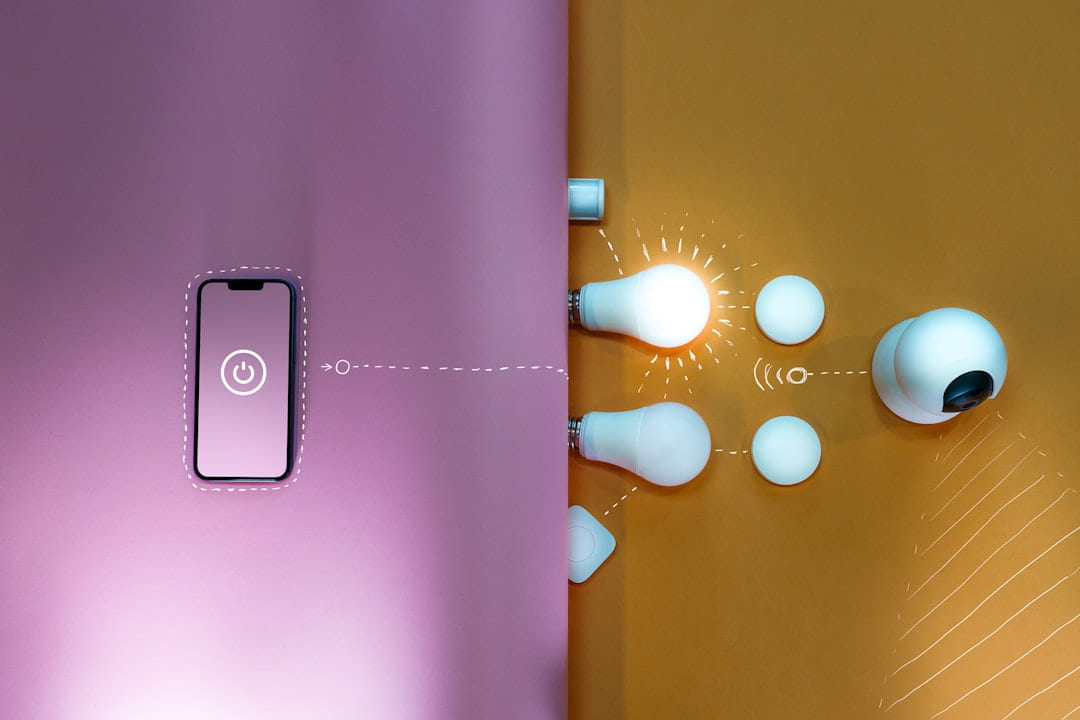
For years, the idea of a “smart home” felt like something only the wealthy could afford - a world of expensive hubs, voice-activated everything, and a nagging feeling that you were spending more on gadgets than you were actually living. But things are changing. Technology is becoming more accessible, and frankly, a lot of the features we’ve come to expect from these systems can be achieved without breaking the bank. It’s absolutely possible to build a comfortable, convenient, and slightly smarter home - and it doesn’t require a second mortgage. The key is a shift in perspective: focusing on what truly adds value and being open to exploring options beyond the biggest, most well-known brands.
What Exactly *Is* a Budget Smart Home Gadget?
Let’s be clear about what we’re talking about here. When I say “budget smart home gadgets,” I’m generally thinking of devices that cost under $50 - though prices always shift a bit, of course. It’s not about finding the absolute cheapest thing; it’s about getting the most functionality for your money. Reliability is a big deal, too. We’re looking for gadgets that actually work consistently, not just flashy devices that fail after a few weeks. The goal isn’t to compete with the tech giants on features - they’ve got those covered - but to create a subtle layer of automation and control that makes your daily life a little smoother and more enjoyable.
Leveling Up Your Lighting
Let’s start with lighting, because it’s one of the easiest and most impactful areas to automate. Smart bulbs are super popular, and for good reason. Companies like Wyze and Sengled offer excellent options in this category, typically around the $15-25 range per bulb. The pros are obvious: you can change colors, schedule on/off times, and even control them remotely using an app. but the initial cost of a smart hub (though many bulbs now connect directly to Wi-Fi, eliminating that need) can sometimes be a hurdle. A really smart approach here is to start with smart plugs that you can use to control existing lamps. These often cost around $10-$20, and they’re a fantastic way to introduce automation without replacing your entire lighting system. You can set a plug to turn on your reading lamp at dusk, or schedule your desk light to shut off an hour before bedtime. It’s surprisingly effective.
Security on a Shoestring
Security is understandably a big concern, and while a full, professionally installed system can be expensive, you can certainly build a basic level of security on a budget. The Wyze Cam v3 is consistently a top recommendation in this space. It offers surprisingly good image quality, motion detection, and two-way audio - all for around $30. It’s a huge step up from relying solely on traditional security measures. Ring Alarm’s entry-level system is another option, though it’s a bit more of a commitment. You’ll need a base station and a few sensors, and the total cost will likely be closer to $150-$200. but it integrates well with other Ring products and offers a more comprehensive security solution than a single camera. On the DIY front, simple motion sensors - you can find these for around $15-$25 - can be wired up to your existing security system (if you have one) or even just to a smart plug to trigger an alarm.
Entertainment Simplified
Streaming is a huge part of modern entertainment, and smart devices make it easier than ever to access your favorite content. The Chromecast and Roku Express are both fantastic, affordable streaming devices - typically around $30-$40. They plug directly into your TV and allow you to cast content from your smartphone, tablet, or computer. Choosing between them often comes down to personal preference; Roku tends to have a slightly more user-friendly interface for beginners, while Chromecast is a good option if you already use Google services.
Temperature Tweaks - Smartly
Let’s be honest, manually adjusting the thermostat can be a pain. Smart plugs can be used to control space heaters, allowing you to set a timer or create a schedule for heating specific rooms. You can find decent smart plugs for around $10-$20. Basic smart thermostats are available from brands like Honeywell and Ecobee, but the entry-level models can still be a bit pricey - around $80-$150. but even a basic smart thermostat can learn your heating patterns and automatically adjust the temperature to save energy.
Beyond Gadgets: The Power of Alternatives
Now, let’s talk about something often overlooked: the power of alternatives. You don’t need to buy a brand-new smart hub to automate your home. Timers - simple, inexpensive timers - can be used to control lighting, appliances, and more. Manual temperature adjustments are perfectly fine; there’s no need to spend a fortune on a smart thermostat if you’re comfortable with a little manual control. The point is, a lot of the functionality you’re looking for can be achieved with a little creativity and a willingness to experiment. Off-brand options are also worth considering. While it’s crucial to do your research and read reviews carefully, you can often find comparable features at a lower price point. Just be prepared to invest a little more time in troubleshooting - off-brand devices may not always be as polished as their established counterparts. And don’t rule out the used market! You can often find gently used smart devices at significant discounts on online marketplaces. Just be sure to check the seller’s reputation and test the device thoroughly before you buy it.
Long-Term Savings and Efficiency
It’s easy to get caught up in the initial cost of smart home gadgets, but it’s important to consider the long-term benefits. Smart devices can help you reduce your energy consumption, which can lead to significant savings on your utility bills. For example, using a smart plug to control a space heater can prevent you from wasting energy heating an empty room. Automation can also minimize unnecessary usage - for instance, a timer can automatically turn off a forgotten appliance, preventing energy waste. Even small changes can add up over time.
Getting Started - A Realistic Approach
Building a smart home doesn’t have to be an all-or-nothing endeavor. Start small. Pick one or two areas where you think automation would be most beneficial - perhaps lighting or security - and focus on those. Don’t feel pressured to buy the latest and greatest gadgets. The most important thing is to find solutions that work for you and fit within your budget. There are tons of online resources - including reputable review sites like Wirecutter and CNET - that can help you research different options. Plus, communities like the Reddit r/smarthome are great places to ask questions and get advice from other users. in practice, creating a smart home on a budget is about making smart choices. It’s about prioritizing functionality, exploring alternatives, and building your system gradually. It’s not about chasing the latest trends; it’s about creating a home that’s a little more convenient, a little more efficient, and a little more enjoyable - without emptying your wallet.
Keep This Practical
Smart-home decisions get easier when you solve one friction point at a time. Start with the device or routine that would save you the most hassle this week, then expand only after it proves useful.
Tools Worth A Look
If you are trying to make a home-tech decision with less guesswork, the products below are the closest fit for that goal.
- INSTACAN Higher Torque and One Touch Electric Jar Opener Easy Remove Almost Size Lid with Auto-Off, Powerful Bottle Opener for Arthritic HandsTHIRDREALITY Smart Color Night Light, Matter Over WiFi, 3-1 Multi-Functionality, Work with SmartThings, Google Home, Apple Home, AlexaElder Welder® Electrical Outlet Hidden Wall SafeSmart Home Automation Hub Monitoring Smart Devices- 4 Piece DIY Smart Home Starter Kit-24/7 Monitoring System- No Contracts Free for Home Burglar AlertsKitchen Safe Time Lock Safe - Phone Safe Box with Timer, Timed Lock Box for Snacks & Valuables
Some of the links on this page are Amazon affiliate links, which means I may earn a small commission if you make a purchase through them. As an Amazon Associate, I earn from qualifying purchases.
Related ReadingMore from Affordable Smart Living
Smart Home Savings: Step-by-Step
Step 1: Assess Your Energy Consumption - Know Where You're Losing Energy (Step-by-Step): Smart Home Savings: Step-by-Step: Energy-Saving Gadgets: A Step...
Smart Home Energy: Common Mistakes
Smart Home Energy can be easier to approach when you start with a few practical basics. * Compatibility Conflicts: You buy a smart plug, connect it to your voice.
Smart Home Savings: Easy Energy Wins
Energy-Saving Gadgets & Best Practices Smart Home can be easier to approach when you start with a few practical basics. Why Focus on Energy-Saving Gadge...